


Discover why a business password manager needs true admin control to ensure password security and manage access effectively as roles change.

November 18, 2026
A business password manager only protects the company if admins can see and revoke access, not just when employees use it for themselves. Without centralized oversight, the business stays exposed when staff or devices change.
A business password manager fills vaults with strong, unique logins, but admin control over who holds a key is what decides whether those logins stay safe once someone's role changes.
The storage and the autofill work the same way whether one person uses the tool or two hundred do, but the access behind each shared account doesn't update itself: someone has to go in and close it off. Many businesses in Texas set up password managers hoping to solve password headaches, only to find that the risk simply moves instead of disappearing.
A password manager can store and autofill passwords, but unless admins have the right tools, old accounts may stay open long after someone leaves. So a company can still be exposed, even with the best password manager sitting on every laptop.
The most effective password management systems close that gap by giving admins a clear view of who has access to what, with a way to revoke it the moment it's no longer needed. Without that view, a company ends up paying for a tool that protects individuals while leaving the business itself exposed.

When employees pick up a password manager for their own convenience, it can feel like real progress: passwords stop getting reused, and weak ones get replaced with strong ones. Yet each of those gains lives inside a separate, personal vault, and once everyone manages their own, the company loses sight of who can actually get into its accounts.
That gap turns dangerous the moment someone leaves the company or loses a device. The business has no built-in way to know which logins are still live or how to cut them off, and strong passwords don't help if nobody is watching which ones are still in use. The accounts simply linger, quietly, until something forces the question.
A password manager for business has to do more than help individuals manage their own logins. It needs to give the company itself a way to see, manage, and remove access as people's roles shift, or it's only ever solving half the problem.
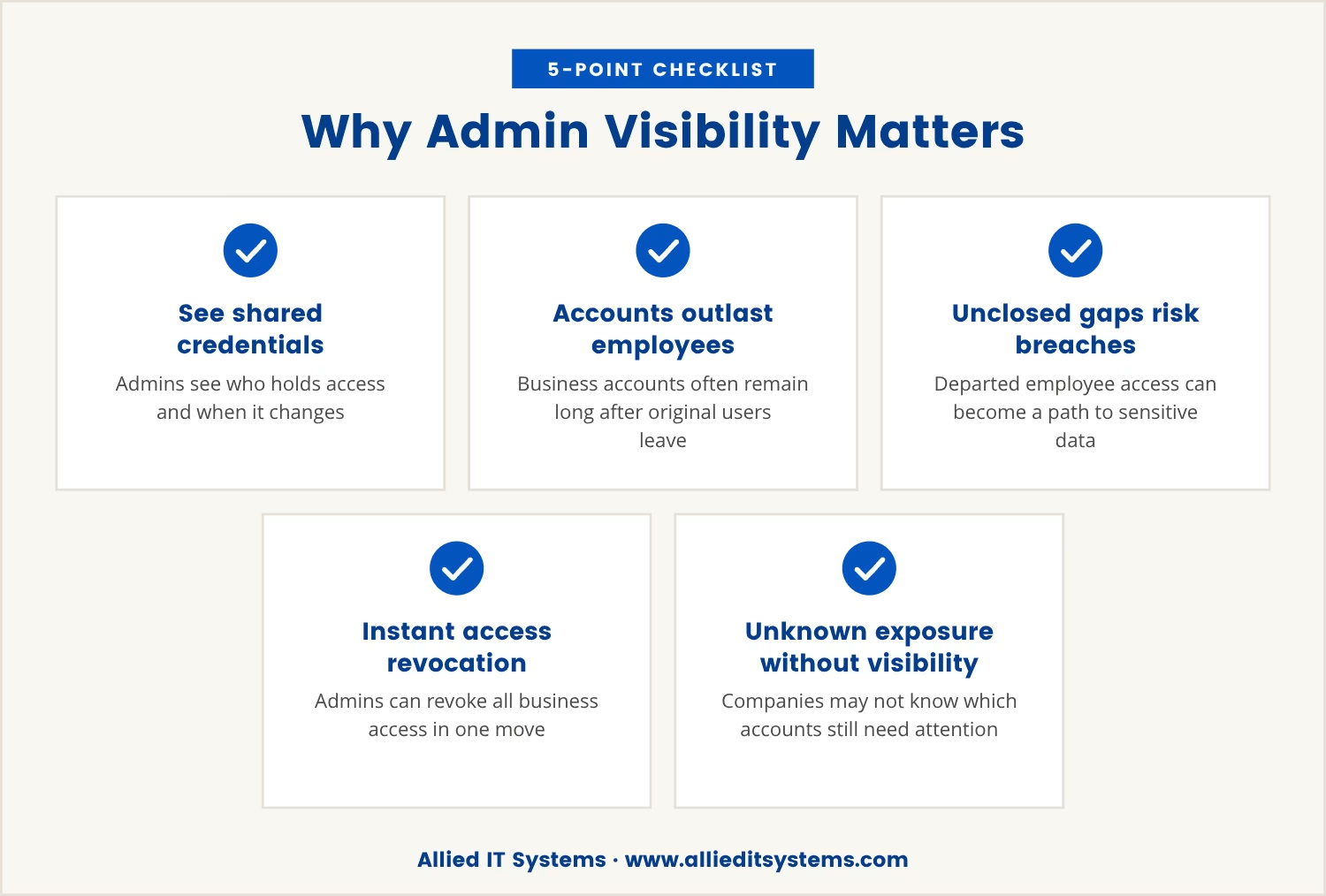
Admin visibility is what separates a password manager that protects the company from one that merely helps its employees. With proper oversight, admins can see which credentials are shared, who holds access to them, and when something about that access changes.
That visibility earns its keep because business accounts routinely outlast the people who first used them. Leave that gap unattended and a departed employee's still-open access becomes a live path to sensitive data, whereas admin controls let the business close it before it turns into a breach.
Picture an employee in Texas leaving on short notice: an admin with full visibility can revoke that person's access to every business account in one move. Strip out that visibility, and the company may not even know which accounts still need attention.
A true business password manager is built around centralized control, not individual convenience. It lets admins assign, monitor, and revoke access to shared credentials from one place, which is exactly what staff changes and device turnover demand.
Centralized management means you can:
Together, these features turn a password manager from a personal convenience into a genuine business asset, built to protect the company rather than just its individual logins.
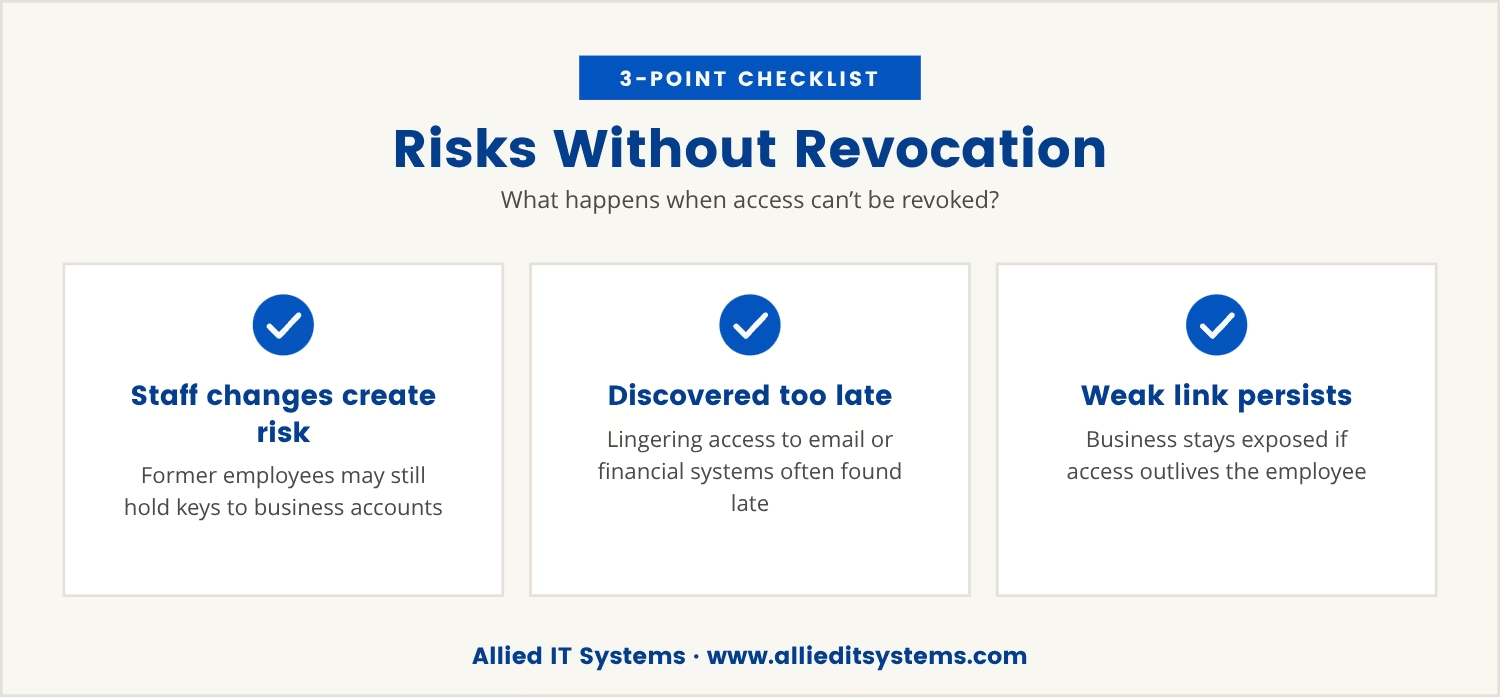
Take away central revocation, and every staff change becomes a fresh security risk: former employees may still hold the keys to business accounts, and a lost device can keep opening sensitive data long after it should have been shut out.
That isn't a hypothetical. Without admin controls, companies often learn too late that someone still has access to email, cloud storage, or financial systems, and by then the cost of that breach can dwarf the price of a password manager with proper admin features built in.
Even the best password manager is only as strong as its weakest link, so if access outlives the person who held it, the business stays exposed regardless of how strong the original passwords were.
Enterprise password management tools are built for teams rather than individuals, which is what takes them beyond basic storage. Here are the features that matter most:
A single place where admins can view and manage every user account and credential across the company.
Admins can assign access based on job roles, limiting each person's exposure to only what the job needs.
The ability to cut off access for any user or device immediately, shrinking the window of risk.
Detailed records of who accessed what and when, useful for compliance and for any investigation that follows.
Tools for sharing credentials safely between team members without ever exposing the actual password.
Support for single sign-on (SSO), which streamlines access and cuts down on password fatigue.
For companies in Texas, these gaps carry real weight. The region's fast-growing tech and business sectors mean teams turn over quickly and remote work is routine, and in that environment it's easy to lose track of who still has access to what.
Regulations and industry standards often call for clear access control and audit trails on top of that, so a password manager for business that lacks admin oversight can leave a company out of compliance even when every employee uses it exactly as intended.
Lean on personal password managers, or let staff pick their own tools, and that visibility is the first thing to go. Centralized solutions keep the company in control no matter how the team around it changes.
When companies pay for a password manager but skip admin controls, they often assume they're covered. In reality, they're only protecting individual logins, not the business that depends on them.
The real cost shows up when someone leaves and access isn't revoked: data breaches, lost intellectual property, or regulatory fines can follow, and these risks far outweigh the modest extra effort of setting up proper admin controls from the start.
If you're not sure who has access to your business accounts right now, that uncertainty is itself the signal that it's time to review your password management setup.

If your business has 15 to 70 users, you may be relying on a password manager that helps your team but leaves you unsure who still has access when roles change. At Allied IT Systems, we understand how quickly access needs can shift as people join or leave.
We invite you to see how we approach password management with true admin control—or to start a conversation about your current setup and what would make you feel more secure.
If you find a lower price for the same level of service anywhere else, we’ll match it—no negotiation required. This offer is available to qualified businesses looking for reliable password management.
[.mspl-button-text]Request a price match[.mspl-button-text]
A personal password manager is designed for an individual to store and autofill their own passwords. A business password manager adds admin features, like centralized control, team sharing, and the ability to revoke access when someone leaves, making it possible to manage credentials across a whole organization rather than for one person alone.
Enterprise password management lets admins assign, monitor, and remove access to shared accounts from a central dashboard. Admins can control who sees what, track changes as they happen, and revoke access quickly, without depending on individual users to manage their own credentials.
Yes, many business password managers include audit logs and reporting features that support compliance with industry regulations. These tools show who accessed which systems and when, making it easier to meet standards for data protection and security.
Look for admin dashboards, role-based permissions, secure password sharing, and instant access revocation. These are the features that keep a business secure as its team grows or changes.
A password vault lets a team share credentials securely without ever revealing the actual password. That removes the temptation to write passwords down or send them through insecure channels, making it the safer option for business use.

Tommy Fauth is a technology and cybersecurity executive with over 20 years of experience in enterprise IT, managed services, infrastructure, and regulatory compliance. A Marine Corps veteran, he helps organizations improve security, reliability, and business performance through practical technology leadership.