


Discover why a business password manager needs true admin control to ensure password security and manage access effectively as roles change.

November 18, 2026
Most businesses think computer repair covers their IT needs, but five recurring gaps leave them exposed. Only comprehensive managed IT services close these gaps and truly protect your systems.
A computer repair call usually starts and ends with one broken device: a technician diagnoses it, fixes it, and moves on without ever looking at the network it sits inside. That narrow scope is exactly where trouble gets room to grow unseen.
Because the fix only touches what's visibly broken, the bigger risks tied to unmanaged technology stay untouched too. A lot of businesses in Texas carry this gap without realizing it, since a basic repair shop and a full managed IT services provider can look similar from the outside even though they cover very different ground.
That's the real line worth understanding: a local IT company can do far more than break-fix work, and knowing where comprehensive management picks up beyond repair is what keeps hidden costs and preventable downtime from piling up. The sections below walk through where that difference actually shows up.

Many businesses start with simple computer repair because it feels practical — why pay for more than a quick fix? The trouble is that this approach builds blind spots gradually, so the cost of skipping broader oversight doesn't show up right away.
Calling for help only after something breaks means you're always reacting one step behind. Issues can quietly stack up in the background while everything still looks fine on the surface, and a small glitch left alone has time to turn into a major disruption.
That pattern traces back to how a repair shop operates: it focuses on the device in front of it, not the network around it. Patterns that might signal a bigger threat go unchecked, which leaves your business open to repeat problems and security gaps that no single repair ever touches.
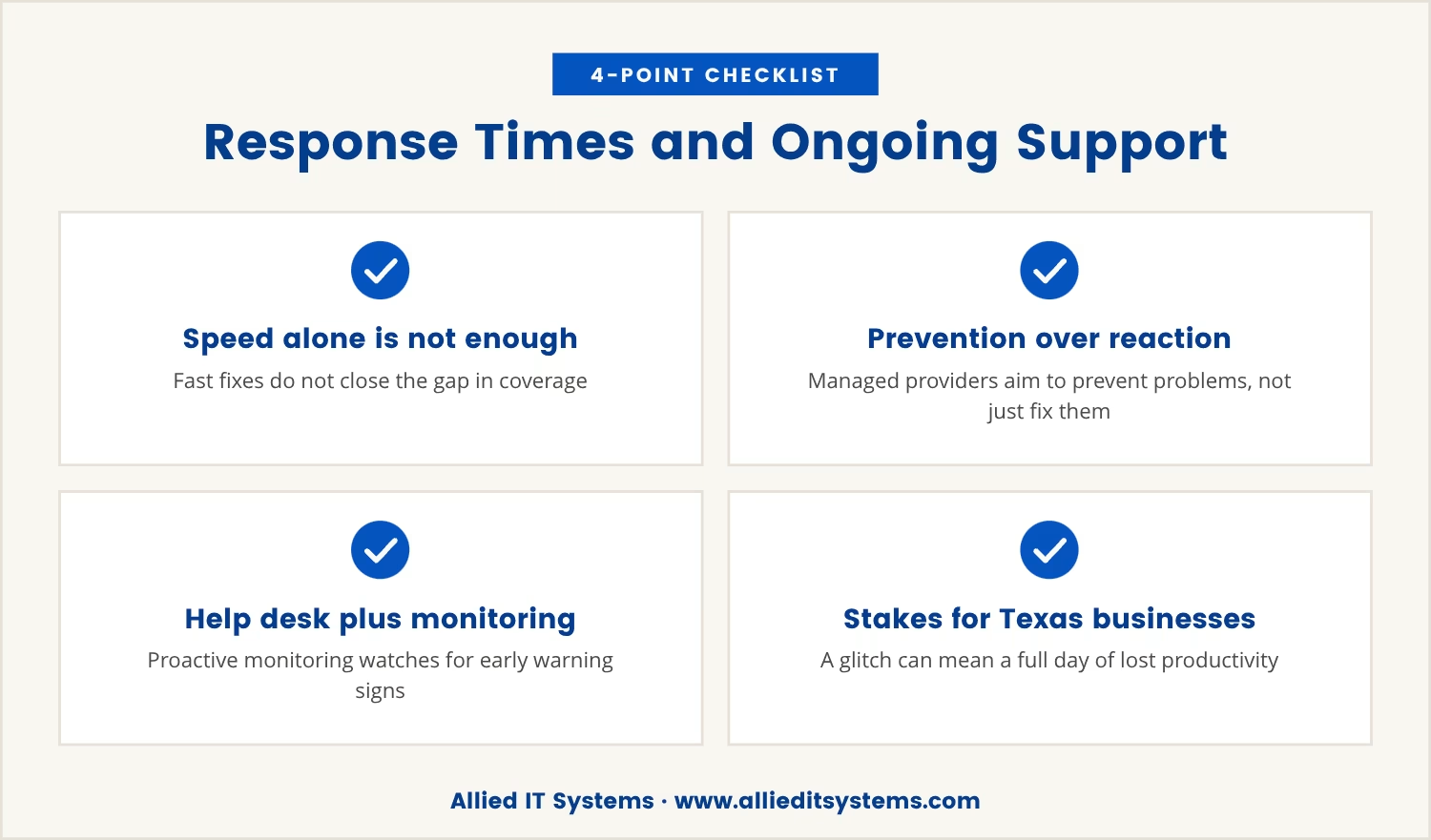
Fast response times matter once something breaks, but speed alone doesn't close the gap above. A managed IT service provider doesn't stop at fixing problems — it works to keep them from happening in the first place.
That shift in approach shows up concretely in a support agreement: it gives you a help desk plus proactive monitoring, so someone is watching for early warning signs instead of waiting on your call. The payoff is help arriving before a small glitch turns into a costly outage.
For businesses in Texas, that difference can decide whether a glitch stays a minor hiccup or costs a full day of lost productivity. Quick fixes solve the moment; ongoing support is what keeps the business moving past it.
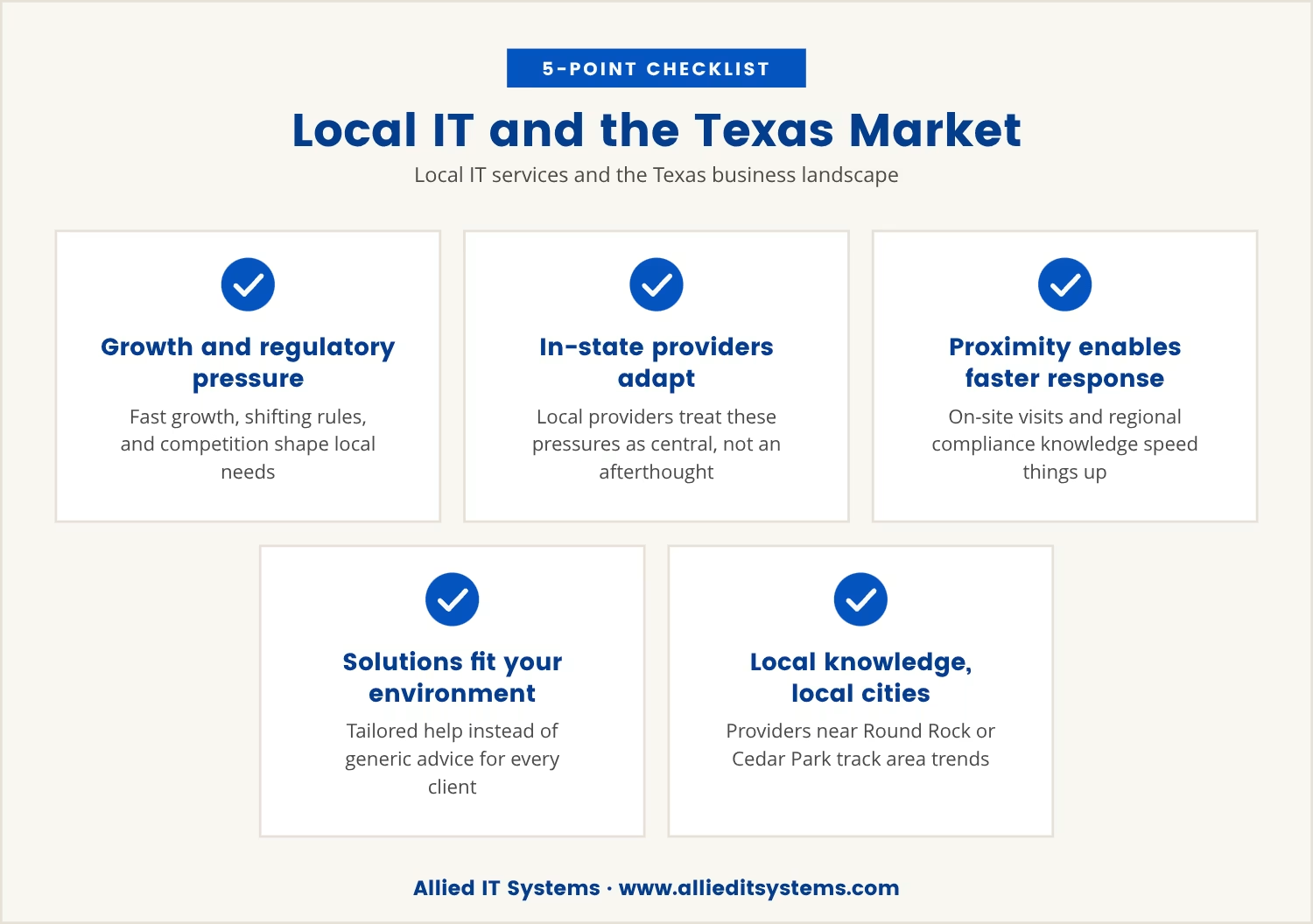
Texas businesses deal with fast growth, shifting regulations, and a competitive market all at once, and that combination is exactly what local IT services are built around. A provider working in-state adapts to those pressures instead of treating them as an afterthought.
Because the provider is local, it can offer on-site visits, understand regional compliance requirements, and respond faster than a vendor working from somewhere else. That proximity translates into solutions shaped around your actual environment rather than generic advice handed to every client alike.
If your business operates in Round Rock, Cedar Park, or nearby cities, a provider who already knows the area is better positioned to help you stay ahead of local trends and risks.
Assuming all IT support is interchangeable is where most of the exposure described above comes from. Five recurring gaps separate managed IT services from basic repair shops, and each one carries a real, specific impact on your business.
A managed IT service provider monitors your systems around the clock, catching issues before they cause downtime. A repair shop, by contrast, waits for you to report a problem, which lets risks sit unnoticed until it's too late.
Comprehensive managed services build in regular security checks and help you keep pace with industry rules. Basic repair teams typically don't cover this ground, which leaves you exposed to both threats and fines.
Managed providers schedule and apply software patches on an ongoing basis, closing vulnerabilities before they're exploited. Repair shops often skip this step entirely, so software quietly stays outdated and at risk.
A managed IT partner plans alongside your growth, aligning technology decisions with where the business is headed. Repair shops, focused only on what's broken today, rarely factor long-term strategy in at all.
Managed services pair automated backups with tested recovery plans, so data stays protected if disaster strikes. Basic repair teams may never set up or monitor backups in the first place, which puts that data at risk of permanent loss.
Choosing computer repair alone might look cheaper up front, but that's where the hidden costs start accumulating. Unmanaged systems tend to produce repeated downtime, lost data, and expenses nobody budgeted for.
Without anyone watching the network as a whole, small issues compound on each other. A missed patch or an overlooked backup can escalate into hours, or even days, of lost work, which frustrates your team internally and damages your reputation with clients externally.
Managed IT services head off these pitfalls by keeping systems healthy and secure on an ongoing basis. The investment shows up later as fewer emergencies and costs that are far easier to predict.
Given that gap, not every IT company delivers the same level of service, so it helps to test that directly. Ask your provider these questions to find out whether you're getting full protection:
If your current provider can't answer these questions confidently, you may be missing out on the benefits of comprehensive managed IT support.
Taken together, these five gaps point to something larger than price or speed. The real question is whether your business is genuinely protected or simply patched up until the next problem surfaces.
Recognizing these recurring gaps is what lets you choose more deliberately. Instead of paying for repairs while still carrying the risk of unmanaged systems, you get technology working for your business instead of quietly against it.

At Allied IT Systems, we know businesses with 15 to 70 users often rely on quick fixes without realizing what’s left unprotected. We see how easy it is to miss the bigger risks when you only call for repairs.
If you’re ready to see how we approach IT management differently, let’s talk about your current setup and what real protection could look like for your business.
If you find a lower price for the same level of managed IT service, we’ll match it automatically—no negotiation needed.
[.mspl-button-text]Request your price match[.mspl-button-text]
Proactive monitoring keeps an IT provider watching your systems continuously for early signs of trouble, so small issues get resolved before they escalate. That ongoing visibility is what prevents unexpected outages and keeps a team productive day to day.
A help desk is a dedicated team handling IT questions and problems on an ongoing basis, usually with set response times built in. Regular tech support, by comparison, tends to activate only when you call for a repair, offering no continuous presence in between.
Software patches should go in as soon as they're released, particularly when they close a security hole. Managed IT service providers typically schedule these updates on a regular cadence to keep systems stable and safe without relying on manual reminders.
Backup and recovery planning keeps data safe through hardware failures, cyberattacks, or other disruptions that strike without warning. Skipping it risks losing important files outright and facing long delays trying to piece together a recovery afterward.
Yes — a managed IT service provider can help you understand and meet industry compliance requirements as they evolve. Part of that role involves tracking regulatory changes and updating your systems so the business stays aligned with current standards.

Tommy Fauth is a technology and cybersecurity executive with over 20 years of experience in enterprise IT, managed services, infrastructure, and regulatory compliance. A Marine Corps veteran, he helps organizations improve security, reliability, and business performance through practical technology leadership.