




Discover why a business password manager needs true admin control to ensure password security and manage access effectively as roles change.

November 18, 2026
Rolling out Microsoft 365 Copilot to everyone at once usually slows down adoption and buries the real value under higher costs. Focusing on a smaller group first helps you see clear results and control your investment.
When Microsoft 365 Copilot is rolled out to every employee at once, the costs and confusion can quickly overshadow the benefits. Teams often expect instant productivity gains, but what actually happens is a surge in support tickets, unclear usage patterns, and a bill that grows faster than the value delivered.
A company-wide launch can bury the few real time savings inside a much larger expense. The most effective uses of Copilot often get lost in the noise, making it hard to see what’s working and what isn’t. Around 2% to 3.3% of Microsoft 365’s commercial users have paid the premium to roll out Copilot companywide, but the true value is not always clear from the start.
Microsoft 365 Copilot is designed to help you work smarter by bringing AI-powered features into familiar apps like Word, Excel, and Outlook. It can draft emails, summarize meetings, and even create content, but how you introduce it to your team matters just as much as what it can do.
If you’re considering Copilot for business, the way you roll it out can decide whether you see quick wins or get stuck in a slow, expensive learning curve.

Rolling out new technology to everyone at once sounds efficient, but it rarely delivers fast results. When every employee gets access to Copilot at the same time, the learning curve becomes steep and support needs multiply.
A focused rollout, on the other hand, lets a small group test features, find the best workflows, and share what works. This approach uncovers real productivity gains before you commit to a full subscription for your whole team.
By starting small, you can see which tasks Copilot actually improves and which ones don’t change much. This makes it easier to justify the investment and avoid paying for unused licenses.
Many businesses in Texas see the appeal of giving everyone access to the latest tools. However, a company-wide Copilot licensing plan can quickly become expensive, especially if only a few employees use it to its full potential.
When you buy licenses for all users, you’re paying for the promise of productivity, not the reality. If most employees aren’t ready or don’t know how to use Copilot effectively, the subscription costs add up without delivering much value.
There’s also the risk of overwhelming your IT support team. More users mean more questions, more troubleshooting, and more time spent on training. This can slow down other projects and stretch your resources thin.
A smaller, targeted rollout lets you control costs and see where Copilot delivers the most value. You can adjust your Microsoft 365 subscription as you learn, instead of locking in a large, upfront commitment.
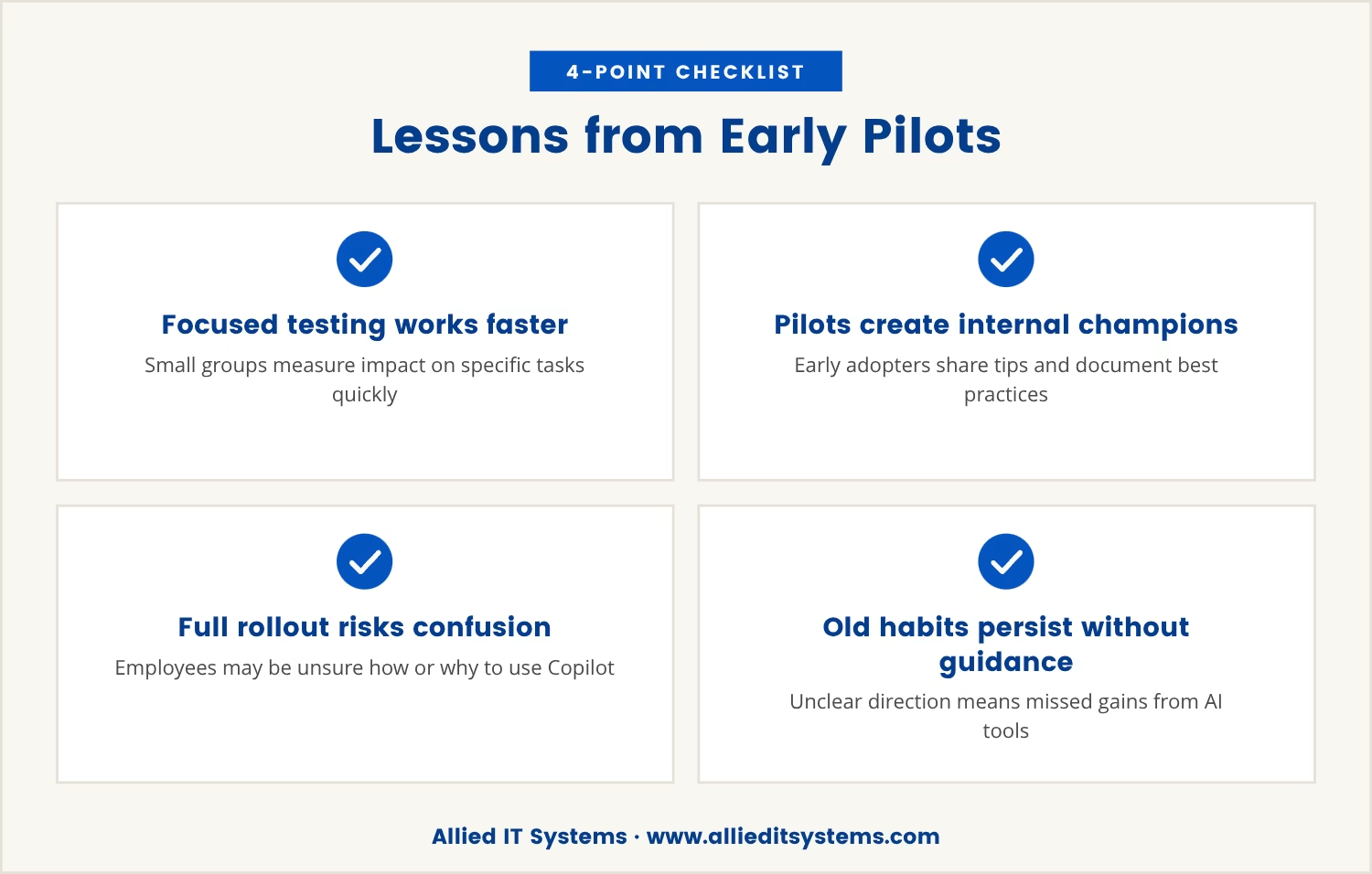
Early pilots of Microsoft 365 Copilot show that concentrated testing leads to faster, clearer results. When a small group of employees tries out Copilot first, they can focus on specific tasks and measure the impact on their workflow.
These early adopters often become internal champions. They share tips, document best practices, and help others get up to speed when the tool is rolled out more widely. This creates a smoother transition for the rest of the team.
In contrast, a full rollout can leave employees confused about how to use Copilot or unsure of its benefits. Without clear guidance, many will stick to old habits, and the company misses out on the real gains that AI-powered tools can offer.
Focusing Copilot use on a select group helps you see where it truly adds value. Here’s how this approach works in practice:
A small pilot group can test Copilot on tasks that matter most—like drafting proposals, analyzing data in Excel, or summarizing meetings. This shows where the tool saves time and where it doesn’t.
With fewer users, it’s easier to track changes in output and efficiency. You can see if Copilot actually helps people work across different Microsoft products or if the benefits are limited to certain roles.
Pilot users can report what works and what needs improvement. Their feedback helps you fine-tune training and support before a wider launch.
Early users develop practical knowledge that can be shared with others. This reduces the learning curve when you expand Copilot access.
By limiting the initial rollout, you avoid paying for unused licenses and minimize disruption to your existing workflow.
A phased approach to Copilot for business typically follows these steps:
This method helps you avoid surprises and ensures you’re getting the most from your Microsoft 365 plans.
For companies in Texas, a gradual Copilot rollout aligns with the need to manage costs and support teams effectively. Many local businesses operate with lean IT resources and can’t afford to stretch their support teams thin.
By starting with a smaller group, you can focus on training, answer questions quickly, and build confidence before expanding. This approach also makes it easier to adapt to local regulations or specific business needs without overwhelming your staff.
A measured rollout means you can scale up when you’re ready, not just because the tool is available. This keeps your investment in line with actual business value.
Rolling out Copilot to every employee at once may seem like the fastest way to modernize your workflow, but it often delays real results. The most effective gains come from targeted use, careful measurement, and gradual expansion.
When you focus on a small group first, you uncover the true benefits of Copilot, control your costs, and make smarter decisions about how to use AI in your business. The quickest path to value is rarely the biggest launch—it’s the most thoughtful one.

For businesses with 15 to 70 users, it’s common to wonder if a full Copilot rollout is the best way to see results. At Allied IT Systems, we know that the right approach can make all the difference.
We invite you to see how our team helps companies in your position get the most out of new tools like Copilot—starting with a conversation about your current setup and goals.
If you find a lower price for the same level of service anywhere else, we’ll match it—no negotiation needed.
[.mspl-button-text]Request your price match[.mspl-button-text]
Start with employees who handle tasks that Copilot can improve, such as drafting documents, managing data, or coordinating meetings. Look for team members who are comfortable with technology and open to trying new tools. Their feedback will help shape your broader rollout.
Copilot chat is designed to integrate with many core Microsoft 365 apps, including Word, Excel, and Outlook. However, some features may be limited depending on your subscription level and the specific app. Check your Microsoft 365 plans for compatibility details.
You can increase your Copilot licensing as your team grows or as more employees are ready to use the tool. This flexible approach lets you match your investment to actual usage, so you only pay for what you need.
Yes, you can track changes in workflow efficiency, document turnaround times, and user feedback. Setting clear goals and monitoring results during your pilot phase will help you see where Copilot delivers the most value.
Some features may require specific permissions within your Microsoft 365 environment. Providing basic training and clear instructions will help users get started and avoid common issues. Early pilot users can also support others as you expand access.

Tommy Fauth is a technology and cybersecurity executive with over 20 years of experience in enterprise IT, managed services, infrastructure, and regulatory compliance. A Marine Corps veteran, he helps organizations improve security, reliability, and business performance through practical technology leadership.